
Fake Instagram accounts come in all shapes: copycat accounts pretending to be a friend, “brands” running giveaways that don’t exist, and bots offering cheap followers or investment tips. Most share the same tell-tale signs once you know what to look for.
Here are nine warning signs and a few quick checks that take less than a minute.
1. The username is almost right
Fake accounts often copy a real username with a small change: an extra dot or underscore, a letter swapped for a number, or a word like “official” or “support” added on. Compare it carefully with the account you know, letter by letter.
2. The account is brand new
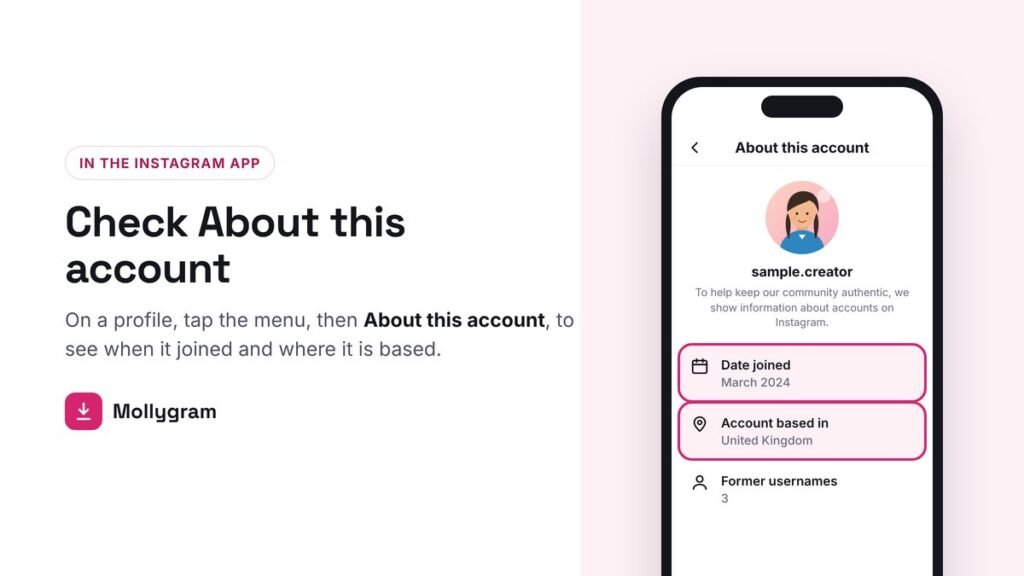
Tap the account’s name at the top of their profile, or open the menu and choose About this account. Instagram shows when the account joined and, for many accounts, the country it’s based in. A “famous brand” that joined last month, or a “local shop” based on the other side of the world, is a red flag.
3. The username has changed many times
The same About this account screen can also show former usernames. An account that has changed its name several times may have been bought, sold or reused for scams.
4. Very few posts, all uploaded at once
Real accounts build up posts over months or years. Fake accounts often have a handful of posts, all uploaded on the same day, with no older history.
5. Lots of followers, almost no engagement
An account with 80,000 followers but only a few likes per post, or comments that all say things like “Nice 🔥”, probably has bought or fake followers.
6. The profile picture doesn’t add up
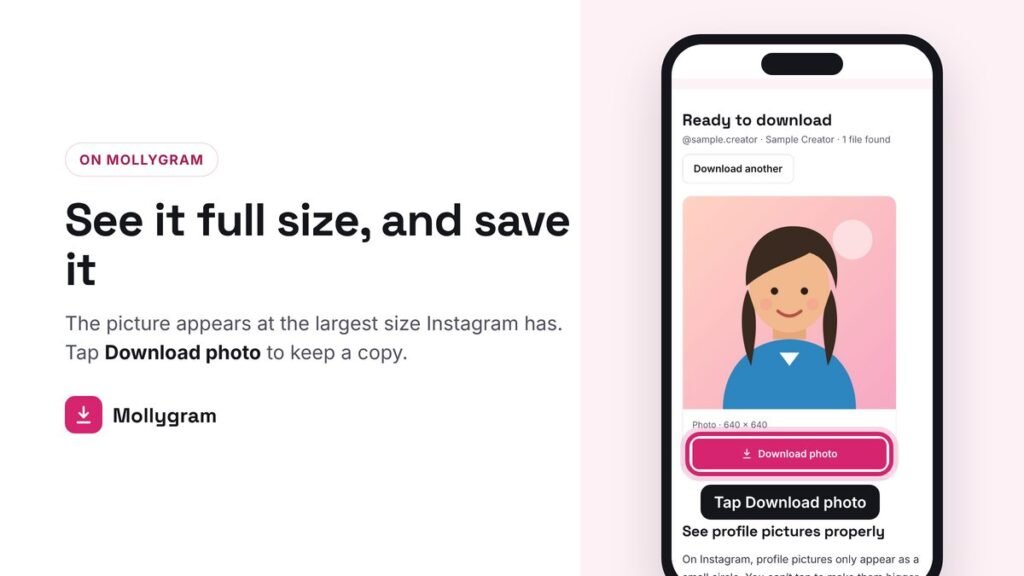
Fake accounts often use stolen photos of models, celebrities or ordinary people. Use the Profile Picture Downloader to see the picture at full size, then run a reverse image search with Google Lens or Bing Visual Search. If the same photo turns up under a different name, the account isn’t who it says it is.
7. They message you first, with something urgent
Be wary of anyone who gets in touch out of the blue with:
- a prize or giveaway you didn’t enter;
- an investment, crypto or “side hustle” opportunity;
- a request to “verify your account” or “avoid being banned”;
- a friend asking for money, a code or a vote, especially from a new account.
8. They ask for codes, passwords or payment
Real brands and Instagram itself will never ask for your password or a code sent to your phone in a direct message. If someone does, it’s a scam, even if the account looks genuine.
9. A blue tick on its own isn’t proof
People can now pay for a verified badge through Meta Verified, so a blue tick tells you the account owner confirmed their identity, not that they’re famous or trustworthy. And a scammer can still use emoji or a profile picture to make it look like they have one. Always check the other signs too.
What to do if you find a fake account
- Don’t reply, click links or send anything.
- Report it. On the profile, tap the menu, then Report, and choose the reason, such as pretending to be someone else.
- Block it so it can’t contact you again.
- Warn the real person or brand if someone is pretending to be them.
- If you’ve already shared a code or password, change your password straight away and turn on two-factor authentication.
Common questions
Can someone see that I checked their account?
No. Instagram doesn’t tell people when you look at their profile or their About this account page, and Mollygram doesn’t notify anyone either.
What should I do if a friend’s account has been hacked?
Tell them another way, such as by text or phone, and don’t click anything the hacked account sends you. They can recover the account through Instagram’s help pages.
Are giveaways on Instagram always fake?
No, many are real. A genuine giveaway won’t ask you to pay a fee, share bank details or click a strange link to claim your prize.
Related guides
- How to see an Instagram profile picture in full size
- Instagram privacy settings that control what people can download
More about Profile Pictures & Accounts
Start here: Instagram Profile Picture Downloader